Dateline: San Francisco, California —
For years, the basic bargain with ChatGPT was simple: ask a question, get an answer, then ask again. OpenAI Dots are designed to break that rhythm.
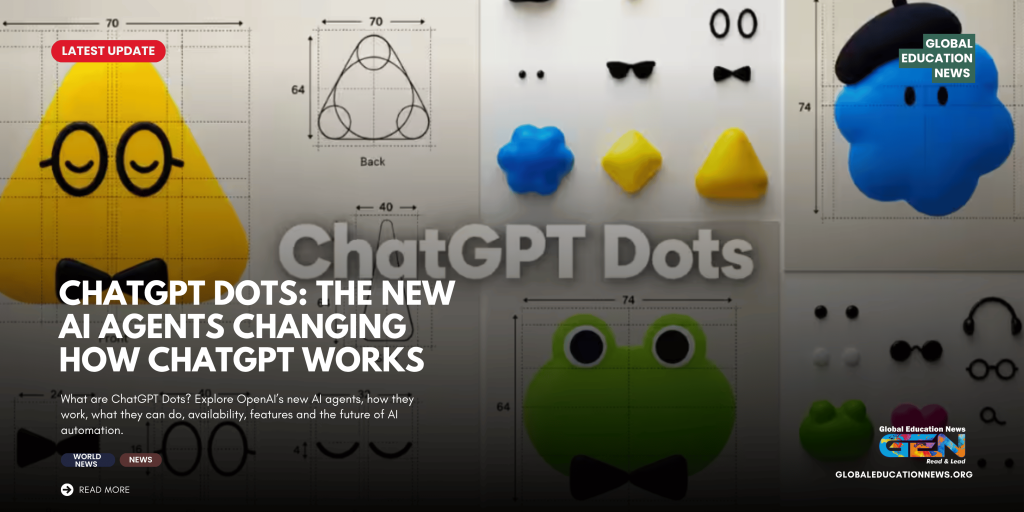
Introduced at OpenAI’s DevDay on September 29, Dots are always-on AI agents built to keep working toward a user’s goals between conversations. Powered by GPT-6 Astra, each Dot has its own cloud computer and browser and can work with applications that a user chooses to connect. Rather than simply generating text, it can carry responsibility for an ongoing piece of work and return to the user when a decision or review is needed.
That distinction explains why the launch matters. The central question is no longer only what an AI model can answer. It is what work can be handed over to an AI agent—and how much control a person should retain while it is doing that work.
What are OpenAI Dots?
OpenAI Dots are persistent AI agents inside ChatGPT that can continue working on an assigned goal rather than ending when a conversation ends.
A conventional chatbot largely follows the rhythm of the user: prompt, response, prompt, response.
A Dot is intended to behave more like a continuing digital assistant. A user can give it a goal, connect the applications it needs and establish rules governing what it may do independently. It can then continue making progress and bring the results back for review.
OpenAI says Dots are powered by GPT-6 Astra, with each agent operating through its own cloud computer and browser. The company also says Dots can work with more than 4,000 applications through its connected-app ecosystem.
That makes Dots fundamentally different from simply asking ChatGPT to write another answer.
How do OpenAI Dots work?
The easiest way to understand a Dot is to think of it as a continuing assignment rather than a single prompt.
A user can provide a goal and relevant context, connect the required applications and establish permissions. The Dot can then work through the task in its cloud environment, use its browser and connected tools, and maintain context across the project.
OpenAI says Dots can also learn from feedback and adapt to a user’s preferences over time. They can be accessed through ChatGPT and integrated communication channels such as Slack and Microsoft Teams, while additional messaging capabilities are being developed.
A cloud computer, not just a chat window
This is one of the most significant differences.
The Dot gets its own cloud computer and browser. That gives it an environment in which it can carry out multi-step digital work rather than merely describing the steps a human should take.
Users can inspect the agent’s work and intervene when necessary. OpenAI’s documentation describes the Dot as an agent that can figure out what needs to happen next and return to the user for decisions requiring human judgment.
What can OpenAI Dots actually do?
The potential use cases stretch well beyond question-and-answer chat.
OpenAI and coverage of the DevDay launch describe applications ranging from software development and research to administrative work, content creation and longer-running professional projects.
A Dot could, depending on its connected tools and permissions:
- Research information and organise findings
- Work through multi-step professional assignments
- Assist with software development
- Analyse information from connected applications
- Help manage longer-running projects
- Prepare documents and other content
- Monitor ongoing work and surface updates
- Continue tasks while the user is away
- Return to the user when a decision requires approval
The important caveat is that these are capabilities and intended use cases, not a guarantee that every task will be completed correctly.
That distinction becomes especially important when an AI agent moves from generating information to taking action.
OpenAI Dots vs ChatGPT: What is the difference?
The simplest distinction is persistence.
ChatGPT: You ask, and it responds.
OpenAI Dots: You assign responsibility, and the agent can continue working toward the goal.
A normal ChatGPT conversation may help someone draft a report. A Dot is intended to keep a longer-running assignment moving, potentially across connected applications and multiple stages of work.
OpenAI’s own description emphasises this ongoing responsibility: Dots can keep making progress between conversations and bring results back for review.
That changes the role of the user, too.
Instead of directing every individual step, the user increasingly becomes the person who defines the objective, sets boundaries and reviews important decisions.
The most important part of Dots may be the permissions
The phrase “always-on AI agent” sounds almost limitless. In practice, OpenAI has built restrictions around what a Dot can do without human involvement.
Dots use connected-app permissions and custom controls to determine which actions can proceed independently and which require approval. OpenAI also describes monitoring and safety mechanisms around agent activity.
This matters because an AI that can read information is one thing. An AI that can send messages, change records or make consequential decisions is something else entirely.
The dividing line is therefore not simply intelligence.
It is authority.
A more capable AI agent is useful only if users can understand what it has access to, see what it is doing and retain control over consequential actions.
Who can use OpenAI Dots?
The rollout is gradual.
OpenAI says Dots are becoming available to eligible ChatGPT Pro and Business Premium users in supported markets. Enterprise users can access a beta when their workspace administrator enables it, and enterprise access is initially turned off by default.
OpenAI’s current documentation also says Pro access excludes the European Economic Area, Switzerland and the United Kingdom at launch. Access is being expanded gradually, so availability can vary between accounts and regions.
For eligible users, OpenAI says the first Dot is included rather than being sold as a separate add-on. The company is also temporarily excluding Dot usage from eligible plans’ normal allowances during the initial rollout period.
OpenAI Dots and Meta Muse: Why the AI agent race is changing
Dots arrive amid a broader shift in the AI industry toward agentic AI.
Meta has also been developing Muse, an AI agent designed to operate more proactively than a conventional chatbot. Coverage of the two launches increasingly frames the competition around a new question: which company can make AI useful enough to remain involved in people’s everyday digital lives?
But the competition is not simply about who has the more attractive AI character or the most impressive demonstration.
The harder problem is trust.
An agent that can access email, calendars, documents, workplace software or other connected services becomes significantly more useful. It also becomes significantly more consequential when it makes a mistake.
That is why permissions, approval systems and activity visibility may prove just as important as the underlying AI model.
What makes Dots different from older virtual assistants?
Older digital assistants were generally designed around relatively narrow commands.
Set an alarm. Play music. Check the weather. Send a short message.
AI agents are attempting something broader: understand a goal, break it into steps, use digital tools and continue working until the task reaches a useful stopping point.
Dots represent OpenAI’s attempt to make that model persistent.
Instead of asking, “What should I type next?” the user can increasingly ask, “What responsibility can I hand over?”
That is a much bigger change.
The unanswered question: How reliable is an always-on agent?
The technology is impressive, but autonomy introduces a different class of risk from ordinary chatbot mistakes.
A wrong answer in a conversation can often be corrected in the next message.
A wrong action can have consequences outside the chat.
OpenAI therefore emphasises controls, permissions, monitoring and human review around Dots. Its GPT-6 Astra safety documentation describes Dots as agents with their own cloud computer and browser, connected tools and the ability to handle recurring work.
For users, that means the safest way to think about an AI agent is not as an employee who can be given unlimited authority.
It is closer to a digital worker operating inside a carefully defined boundary.
The quality of that boundary may determine how useful Dots become.
Why OpenAI Dots matter for the future of ChatGPT
Dots represent a larger strategic shift for OpenAI.
ChatGPT began as a conversational interface for interacting with language models. The direction now points toward something more persistent: AI that remembers an assignment, operates tools, works across applications and returns with progress rather than waiting for the next prompt.
OpenAI has described future possibilities that include multiple Dots working together, while specialist Dots are already being explored for organisational roles.
If that vision succeeds, the most important AI interface may no longer be a blank chat box.
It may be a list of responsibilities.
And the defining skill for users may not be knowing how to write the perfect prompt, but knowing what to delegate, what to restrict and what decisions should remain human.
For now, OpenAI Dots are an early step in that transition. But they signal a clear change in the way the company wants people to use AI: not simply as something that answers when called, but as something that can keep working after the conversation ends.